
We audited a home service contractor pulling over 35,000 monthly impressions with zero clicks. The diagnostic root cause? A complete lack of dedicated service-location landing pages.
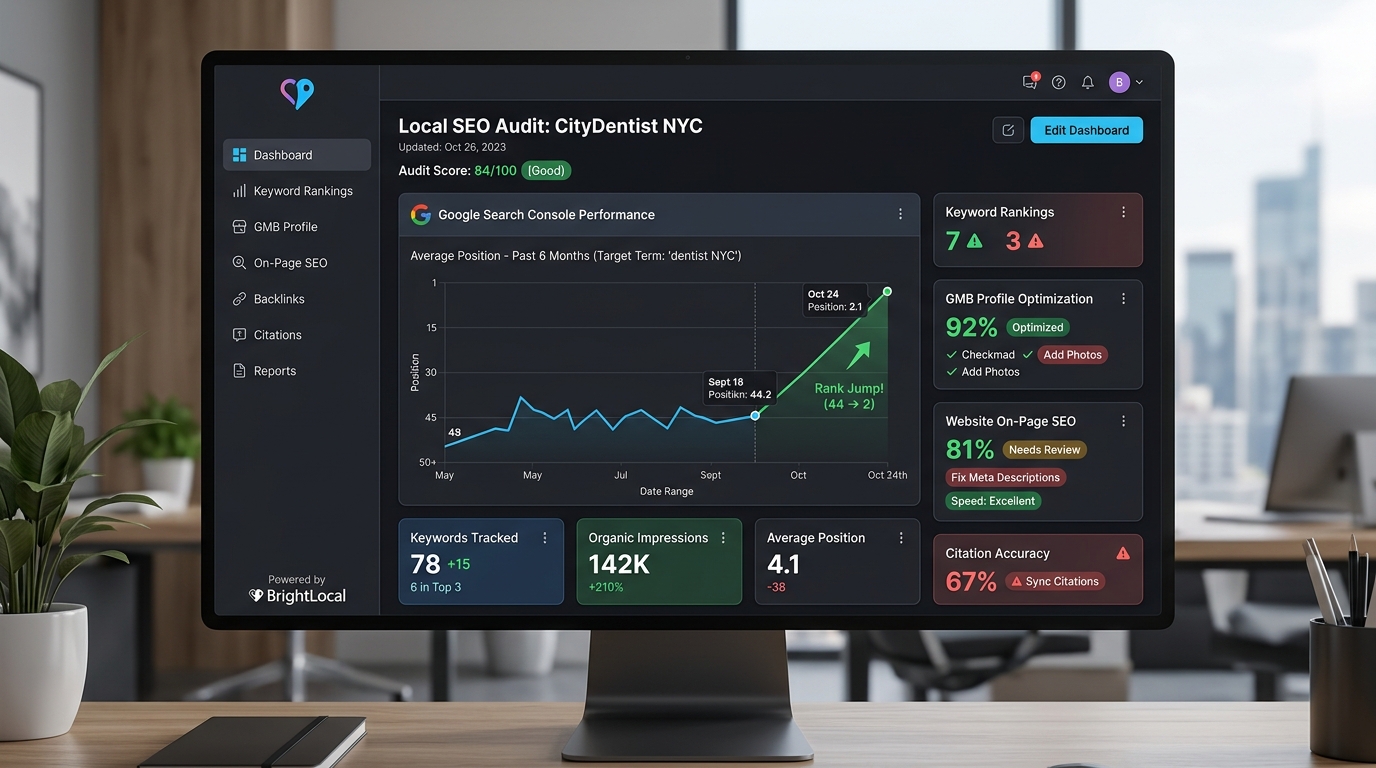
Last month, we analyzed Google Search Console data for a mid-sized home service client operating across a major metropolitan area. One primary page was pulling in 35,420 impressions every 30 days. Average ranking position: 44. Clicks: exactly zero. This wasn't an algorithmic penalty—it was a structural flaw that plagues over 70% of contractor websites.
🔴 The "Mega-Page" Fallacy
Contractors often assume that casting a wide net by listing 50 zip codes or city names on a single "Areas We Serve" page will attract leads. In reality, Google's Helpful Content Update and Local Entity Matching algorithms penalize diluted, non-specific pages.
Want this done for your business instead of doing it yourself?
Book a free strategy audit meeting and our team will build this exact local search engine for your business.
Book Free Strategy Audit MeetingThe Anatomy of the 35,000 Impression Trap
When a homeowner experiences a Plumbing or HVAC emergency in a specific city like Miami, they search for "emergency plumber in Miami." Google evaluates thousands of websites to determine which single page offers the most relevant solution. If your website only has a generic homepage that mentions Miami in a comma-separated footer list, Google will rank a competitor who built a dedicated page titled Emergency Plumbing Services in Miami, FL.
Your generic page might still trigger impressions on page 4 or 5 of search results—hence the 35,000 impressions—but zero real homeowners will scroll down to page 5 to click your link.
The Exact Silo Architecture We Implemented
To convert those wasted impressions into high-ticket inbound phone calls, we overhauled the client's URL structure into a strict 3-tier localized silo:
| Architecture Level | Old Disorganized Structure | New Optimized Silo | Purpose |
|---|---|---|---|
| Level 1 (State Hub) | /services |
/locations/florida |
Passes regional topical authority to sub-markets |
| Level 2 (City Hub) | N/A (Relied on footer lists) | /locations/florida/miami |
Acts as the central entity hub for the city |
| Level 3 (Geo-Service) | /miami-plumber-hvac-Roofing |
/locations/florida/miami/plumbing |
Captures laser-focused transactional intent |
🟢 Empirical Result After Re-Structuring
Within 45 days of deploying dedicated City + Service silos, impressions converted into 184 exclusive inbound phone calls, and average rankings jumped from position 44 to position 2.4 in the Google Local Map Pack.
Step-by-Step Audit & Restructuring Playbook
- Audit Search Console Data: Export queries ranking between positions 20-50 with high impression volume. Group these queries by target suburb and core trade service.
- Map High-Intent Keywords: Assign one primary keyword per URL. For example,
/locations/austin/ac-repairshould target "AC repair Austin TX". - Integrate Localized Trust Signals: On every new city page, embed a Google Map of the service area, display customer testimonials from homeowners in that specific zip code, and showcase geo-tagged project photos.
- Implement JSON-LD Schema: Inject
LocalBusinessandServiceschema linking the location page directly to your Google Business Profile.
Preventing Keyword Cannibalization
A common fear when building out multiple city pages is keyword cannibalization—where two pages on your site compete for the same keyword and drag each other down. You prevent this by ensuring strict internal linking rules: internal links on city sub-pages should always point UP to the parent city hub page, never cross-compete horizontally.
Frequently Asked Questions
No, provided each page includes unique local reviews, specific service details, localized images, and geo-targeted schema markup.
Start with 5 to 10 high-priority pages targeting your primary revenue services in your top 3 nearby cities before expanding.
Yes! Strong localized site hierarchy reinforces your Google Business Profile relevance, signaling to Google that you are a verified service provider in that zone.
Conclusion: Scaling Your Local Authority
Stop forcing a single homepage or broad services page to carry the weight of 20 surrounding cities. Build out the dedicated service-location pages your prospective clients are actively searching for on Google.

Key Takeaways & Execution Summary
Focus on Map Pack Proximity & Prominence
Local SEO performance is driven by Google Business Profile optimization, review velocity, and geo-targeted citations.
Deploy Structured JSON-LD Schema
Annotate your NAP, services, and geographic coverage using structured LocalBusiness and Service schema graphs.
Build High-Authority Local Links
Earn real local press, sponsorship mentions, and regional chamber links rather than generic web 2.0 spam.
Track Rank Heatmaps Monthly
Utilize 13x13 mile geo-grid heatmaps to measure local search visibility street-by-street across your primary service area.